
Definition
Workflows define the overall flow and orchestration logic of a customer journey. They connect PowerLinks, Actions, Agents and Tools into complete experiences that span from start to finish. Each Workflow acts as a visual program, enabling you to automate complex logic, guide users and handle multiple outcomes using intuitive drag-and-drop blocks. You build workflows visually using the Workflow Designer.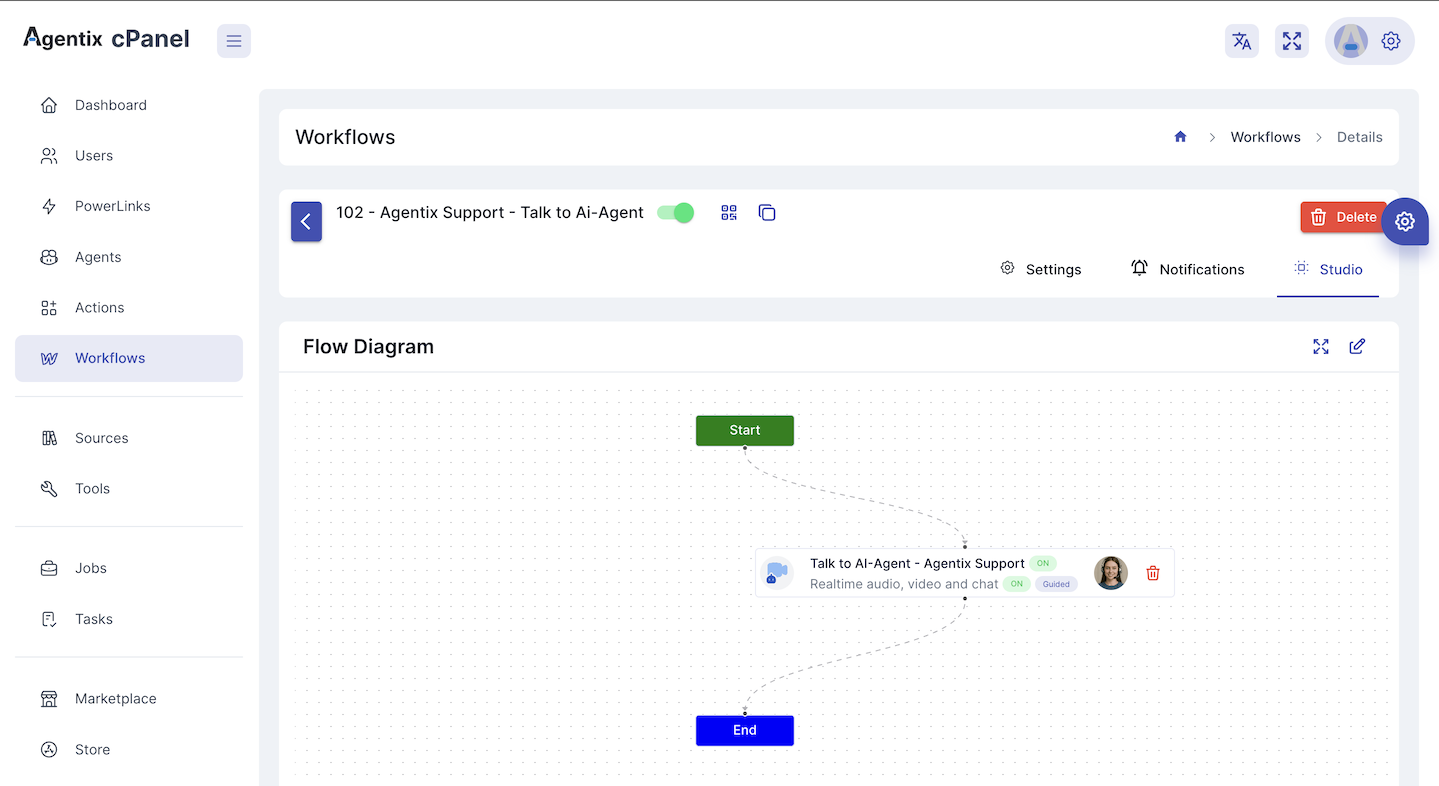
What Workflows Do
Workflows determine:- ✅ When to trigger each Action of specific PowerLink
- 🔁 Sequence of data flow between steps
- 🔐 Whether login is required and which type (PIN, OTP, Google)
- 📣 How notifications are sent via WhatsApp, Email or SMS
- 🎯 Completion rules and fallback handling for the journey
Key Configuration
Each Workflow includes:🔐 Login Requirements
You can define whether the customer needs to log in before starting the journey. Supported login methods include:- PIN Code
- One-Time Password (OTP)
- Google Authentication
📣 Notification Settings
Customize how and when notifications are sent for LaunchPad triggers or login codes via:- SMS
🧱 Workflow Studio
Use the drag-and-drop Studio to:- Build your workflow with PowerLinks, actions and conditions
- Define branching logic based on forms, tool results or user input
- Assign AI or human agents to each action
- Visually preview your journey before publishing
Example Use Cases
Onboarding Workflow
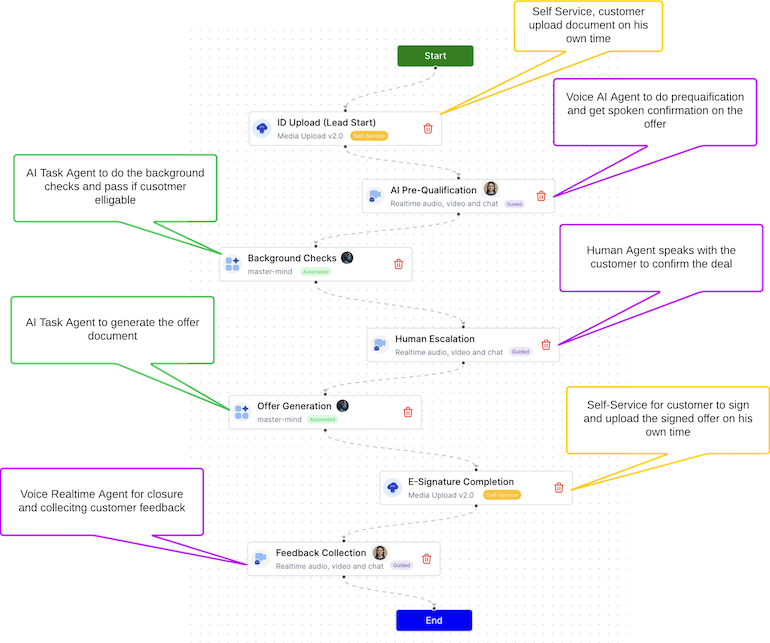
A multi-step flow that asks users to upload ID, verify details and receive approval using both Task and Realtime agents.
Support Escalation
A guided workflow that starts with self-service answers, then escalates to live chat if issues aren’t resolved.
Loan Application
A conditional workflow with eligibility checks, document uploads and AI-based approval logic.
Best Practices
- Break complex journeys into modular PowerLinks
- Keep each Action focused and purpose-driven
- Use fallback flows for error handling and re-engagement
- Reuse tools and prompts across different workflows
- Analyze job and task performance to improve step logic
👉 Ready to build? See the Workflow Designer Guide