

Definition
PowerLinks are prebuilt applications in Agentix that define how users interact with your service—whether through self-service, automated or guided experiences. Each PowerLink is developed with a specific service mode based on what it is designed to do. You don’t manually set the mode—it is defined by the function of the PowerLink itself. PowerLinks are the foundation of your workflows. They encapsulate functionality such as document uploads, realtime-based assistance, automated decisions, outbound campaigns and more.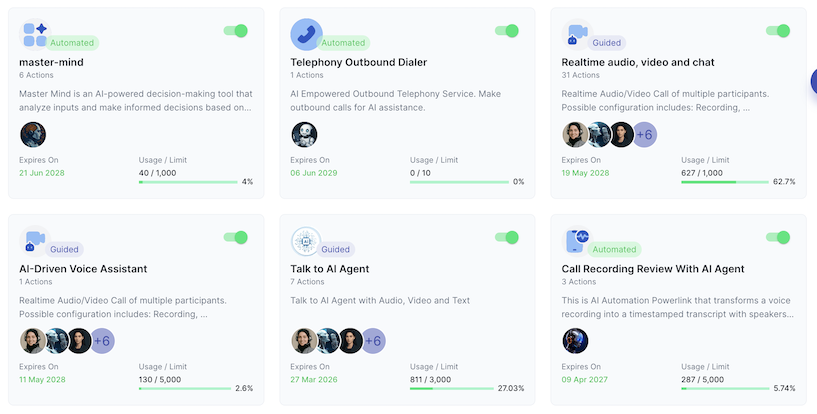
Characteristics
PowerLinks are:- 🔌 Reusable – Designed to be plugged into different workflows without rewriting logic
- 🧩 Composable – Can be combined to form complete, multi-step customer journeys
- 🧠 Dynamic – Can trigger AI, human agents or direct user interactions
- 🎯 Purposeful – Each PowerLink has a specific function and clear input/output behavior
Service Modes
Every PowerLink operates in one of the following service modes, depending on what it was built to handle:- 🧍 Self-Service – Used directly by the customer (e.g. uploading a document or submitting a form)
- 🤖 Automated – Executed entirely by the system or an AI agent without real-time interaction
- 👥 Guided – Delivered through live interaction with an AI or human agent via chat, voice or video
⚠️ You don’t assign the service mode — it is defined by the PowerLink design and use case.
Example PowerLinks
👉 Explore available PowerLinks in the PowerLinks Catalog