
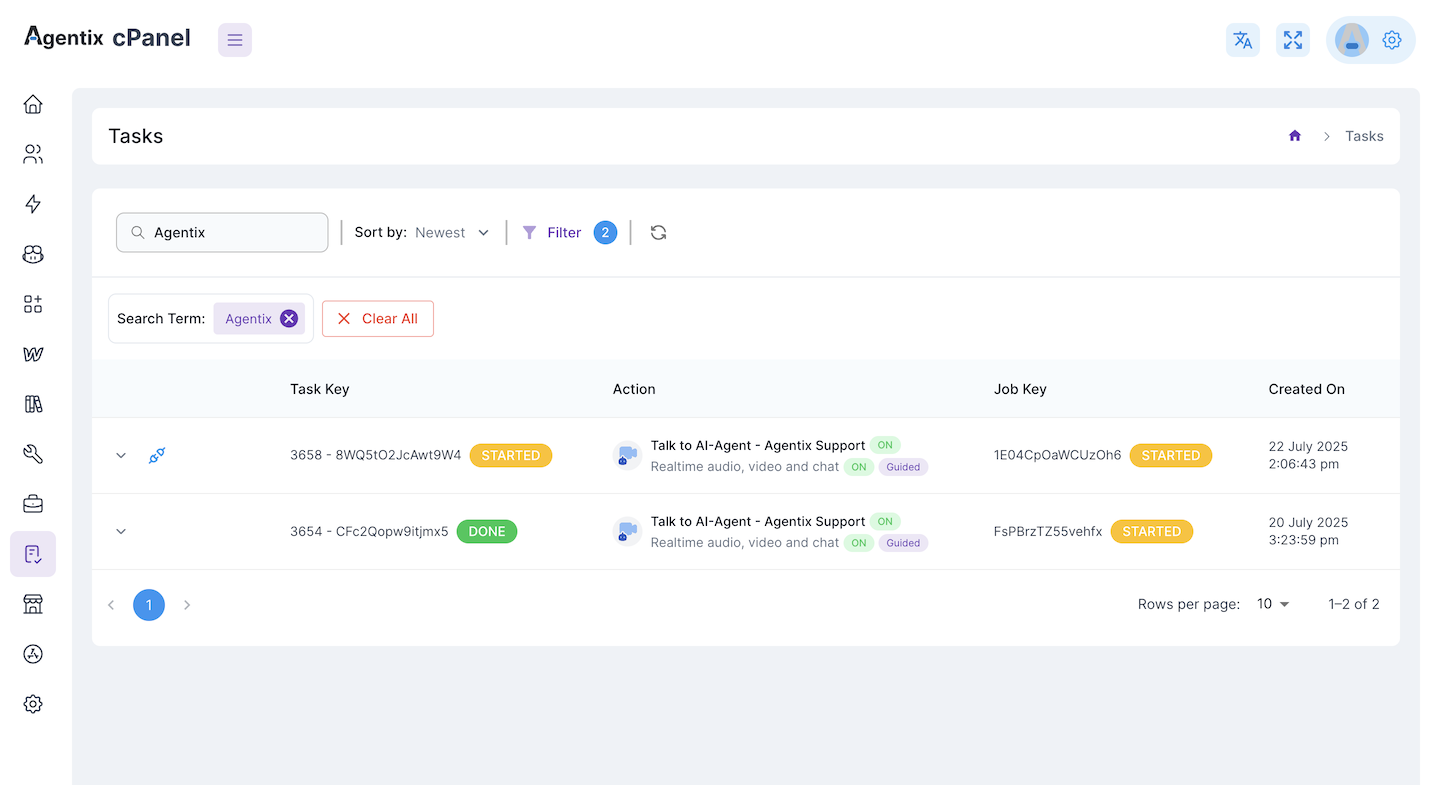
Tasks List Overview
The top section displays a searchable and filterable list of all tasks, with key information like:- Task Key: Unique ID for the task.
- Action: Linked action (e.g., “Talk to AI Agent”, “MCP Agent”).
- Job Key: Parent job the task belongs to.
- Created On: Timestamp of task creation.
- Status: Task progress (e.g.,
STARTED).
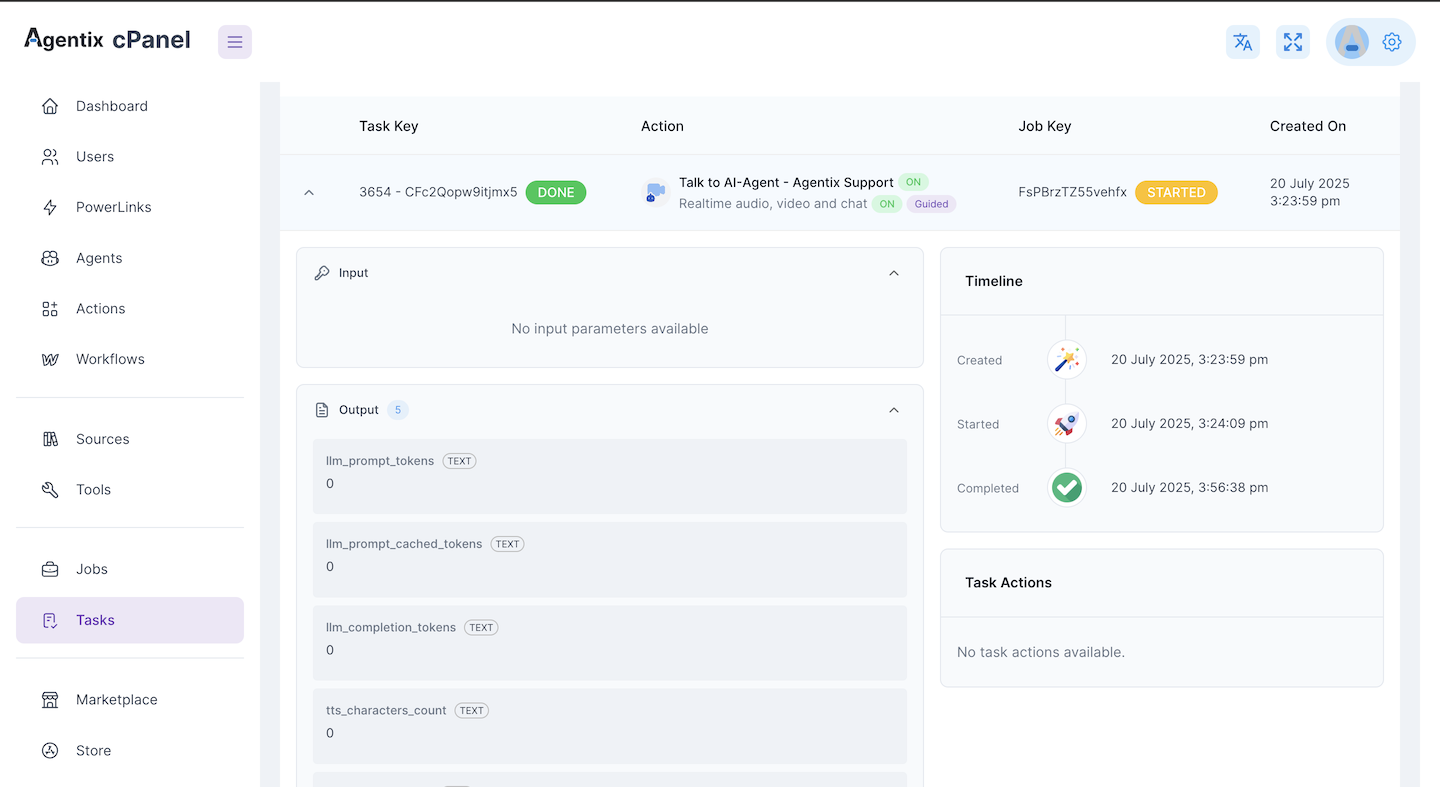
Task Details Panel
Upon expanding a task, you can review:- Input: Parameters passed into the task (if any).
- Output: Execution results including, as example:
- Transcripts
- Token usage
- TTS/STT durations
- Model and provider details
- Config: System-level runtime configuration of the task (useful for debugging).
- Timeline: Creation and start timestamps.
- Task Actions: A real-time log of tool executions (e.g.,
show_media_to_user) with origin/destination info and timestamps.
✅ Common Use Cases
- 🧪 Debugging tool behavior (see which tool was called, when and by whom).
- 📊 Reviewing AI output (e.g., conversation transcripts and LLM statistics).
- 🛠 Understanding configuration passed to the agent during execution.
- 👀 Auditing real-time activity and ensuring workflow correctness.
Tasks are the atomic building blocks of the job execution system. They give full observability into what happened, when and how.