

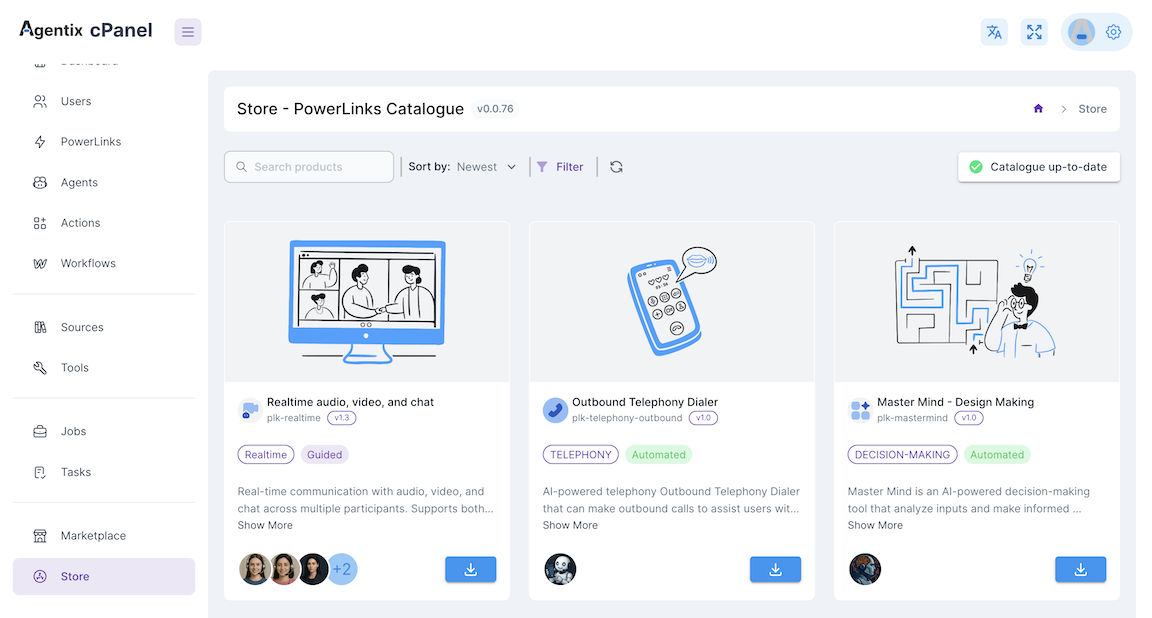
🔍 How to Use the Catalogue
You can browse, preview and install PowerLinks from the cPanel sidebar under Store → Catalogue:- Open the Catalogue
- Filter or search by type, category or keyword
- Click any PowerLink to explore its:
- 🧾 Description and use cases
- 🤖 Supported AI-Agents
- ⚙️ Configuration specs
- 💰 Pricing model (Quota or Concurrent)
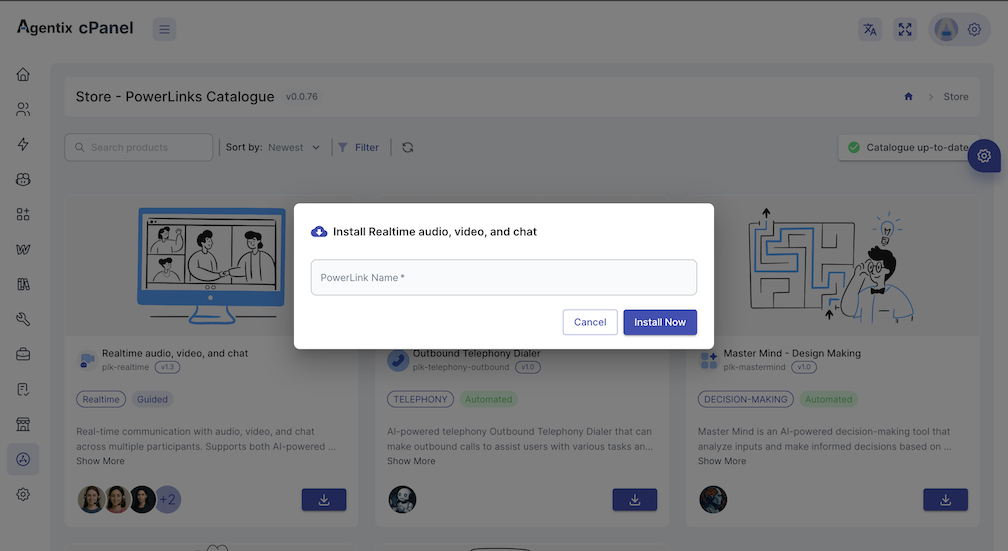
⚙️ Installing a PowerLink
To install a PowerLink:- Click Install on the PowerLink card
- Review the included configuration specs and default settings
- Save and proceed to create Actions using the PowerLink
- Assign agents, instructions, tools and sources to each Action
✅ After Installation
Once installed:- Configure the PowerLink’s specs (language, handoff mode, etc.)
- Create Actions using this PowerLink
- Link the Actions to a Workflow
- Launch and monitor Jobs using LaunchPad or QR code
🔄 Update the Catalogue
Use the Update button on the Catalogue page to sync your local store with the latest available PowerLinks from the online marketplace. This ensures you:- Have access to new PowerLinks added by the platform
- Get the latest version and specs of existing PowerLinks
- See updated agent compatibility and pricing
💡 You can update at any time — no configurations are overwritten unless the PowerLink was previously installed.
💡 Understanding Service Modes
Powerlinks are avaiable with the following service-modes:guided
Requires a human or AI agent to join and guide the interaction
self-service
Customers complete tasks on their own with no agent involvement
automated
Runs fully in the background with no user interaction
🔍 Explore Available PowerLinks
Realtime Audio, Video and Chat
Live collaboration using voice and video with AI or human agents.
guided
guided
Media Upload
Let customers upload files via camera, gallery or document picker.
self-service
self-service
Recording Analyzer
Score and analyze call recordings for QA, compliance and coaching.
automated
automated
Outbound Dialer
Run AI-powered telephony outbound calls for any action.
automated
automated
MasterMind
Automate complex decisions with AI Agents.
automated
automated