> ## Documentation Index
> Fetch the complete documentation index at: https://docs.agentixhub.ai/llms.txt
> Use this file to discover all available pages before exploring further.

# Mastermind

> AI-powered decision engine for complex workflow orchestration

<div
  style={{
border: '1px solid #14b8a6',
borderRadius: '6px',
padding: '8px 12px',
fontSize: '0.85rem',
backgroundColor: 'rgba(20, 184, 166, 0.05)',
}}
>
  <div className="badge-automated">automated</div>

  <div>
    This PowerLink runs in automated mode — AI agents execute the task without human intervention.
  </div>
</div>

The **Mastermind** PowerLink is an AI-powered decision-making engine designed to analyze inputs and predefined instructions, then produce a decision and output for the next task. It is ideal for automating AI evaluation flows, branching logic and structured business decisions.

> ⚠️ This PowerLink is fully automated and non-interactive. It runs silently in the background to power downstream actions.

## Key Features

<CardGroup cols={2}>
  <Card title="🧠 Intelligent Decision Making">
    Analyzes task input and context to choose the next best action using AI.
  </Card>

  <Card title="🔗 Workflow Routing">
    Sends results to the next task based on decision taken — fully customizable.
  </Card>

  <Card title="⚙️ Configurable Actions">
    Define allowed decisions or next steps with simple configuration.
  </Card>

  <Card title="🚀 Multi-purpose Usage">
    Ideal for AI evaluations, scoring flows, conditional routing and more.
  </Card>
</CardGroup>

## How to Install

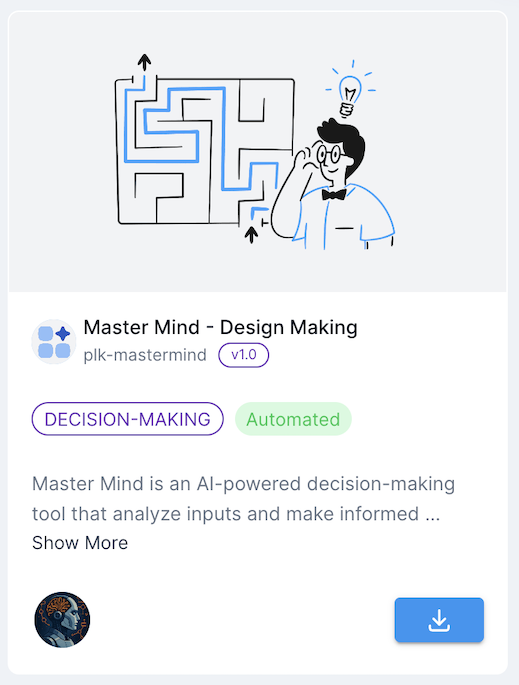
Go to the **Store** tab in Agentix cPanel, find **Mastermind** and click **Install** to add it to your PowerLinks list.

<img src="https://mintcdn.com/agentix-5c0a3d87/3fWHT_5u43zyi8Am/user-guide/images/catalogue-mastermind.png?fit=max&auto=format&n=3fWHT_5u43zyi8Am&q=85&s=721dc1b53ddb07bbee73616a5f3a3eb4" alt="Catalogue snapshot" className="rounded-xl my-6 shadow" width={250} data-path="user-guide/images/catalogue-mastermind.png" />

## How it Works

This PowerLink uses the **Decision Maker Agent** to analyze input fields, instructions, tools and context. It outputs a structured result and determines what the next task should be. It runs silently and can be used to automate reviews, AI flows or intelligent handoffs.
<Check>
  Just provide the input (such as a transcript, form or analysis result) and the agent will make a decision and prepare the output for the next task — no manual steps needed.
</Check>

<Note>
  The decisions can be limited to predefined actions using the `ACTIONS` parameter. This allows controlled automation based on your business logic.
</Note>

## Agents

Here is list of available agents that can be used with this PowerLink. Each agent has its own set of parameters that can be configured to suit your use-case.

<Card horizontal>
  <div className="flex items-center gap-4">
    <div className="w-20 h-auto flex-shrink-0">
      <img src="https://mintcdn.com/agentix-5c0a3d87/3fWHT_5u43zyi8Am/user-guide/images/agent-descision-maker.png?fit=max&auto=format&n=3fWHT_5u43zyi8Am&q=85&s=44ce0ef2936674508ac94ad3dc19ad6a" alt="Decision Maker Agent" className="rounded-sm w-full h-full object-contain m-0" width="328" height="428" data-path="user-guide/images/agent-descision-maker.png" />
    </div>

    <div>
      <strong className="text-lg">Decision Maker Agent</strong><br />
      AI-powered agent that reads task input and sources, applies instructions and generates a structured decision. The decision is used to trigger the next action in your workflow.
    </div>
  </div>

  <Expandable title="Agent Parameters">
    <ParamField path="ACTIONS" type="TEXT">
      Comma-separated list of valid decisions the agent can select from. These decisions are passed to the next step as output.
    </ParamField>
  </Expandable>
</Card>

## Use Cases

* AI Evaluation Controller
* Smart Workflow Routing
* Decision-Based Branching
* Risk or Quality Assessment
* Human Handoff Determination
* Approval/Rejection Logic

## Getting Started

<Steps>
  <Step title="Create Action from Mastermind">
    After installing the PowerLink, go to **PowerLinks** in your cPanel, select **Actions** and click **Create New Action** using this PowerLink.
  </Step>

  <Step title="Configure Allowed Decisions">
    Use the `ACTIONS` parameter to define which decisions the agent can choose from (e.g., `approve, escalate, reject`).
  </Step>

  <Step title="Connect with Next Task">
    The result of the decision will be passed as task output and can be used to guide which PowerLink to launch next.
  </Step>

  <Step title="Trigger via Workflow">
    This PowerLink is designed for use inside a Workflow. Attach it after an AI-generated task (like transcription or scoring) and it will make a routing decision.
  </Step>
</Steps>
